
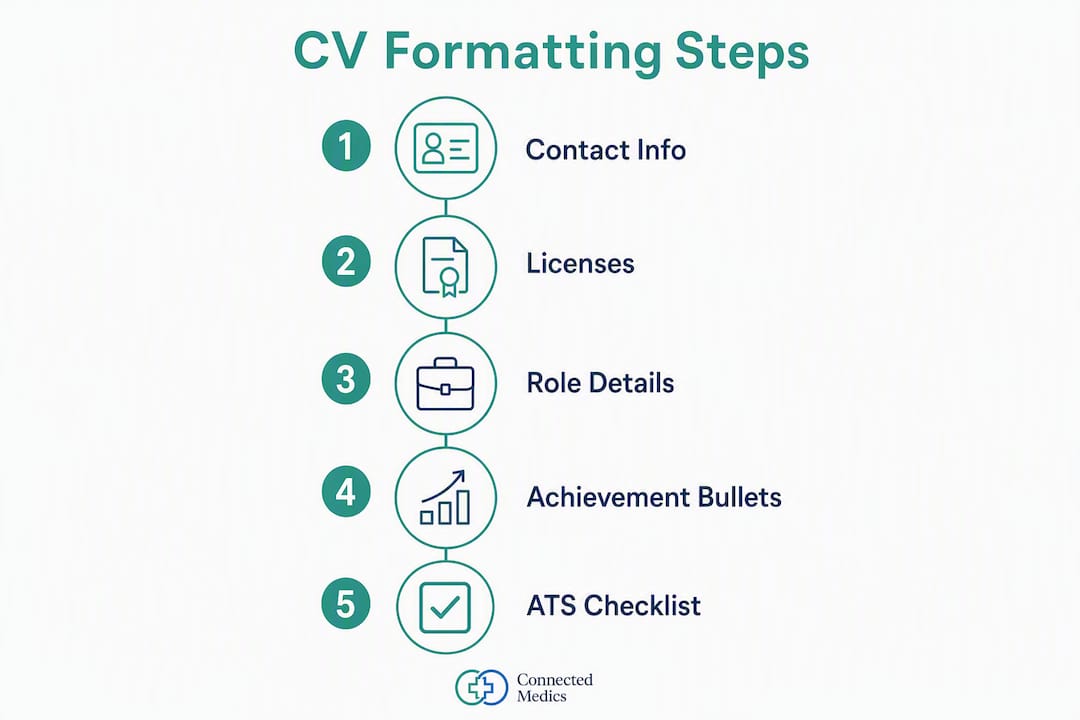
Put your clinical licenses and certifications immediately after your contact information. List clinical experience in reverse-chronological order. Write 3–5 quantified, action-verb bullets per role. This structure passes ATS knockout filters and fits within the 6–10 second recruiter scan window that determines whether a file gets opened at all.
- Credentials first. State board, license number, and expiration on line one of the credentials block.
- Mirror-match keywords. Copy exact terms from the job posting into your summary and bullets.
- Quantify one metric per bullet. Patient load, bed count, compliance rate, or outcome percentage.
Stat: A 2021 Harvard Business School and Accenture study found 88% of executives acknowledge their ATS filters inadvertently exclude qualified candidates.
Table of Contents
- 1. Use this exact section order for your clinical CV
- 2. What every clinical role entry must include
- 3. How to write strong achievement bullets for each role
- 4. Where and how to list licenses, certifications, and tech skills
- 5. How to mirror-match job postings and pass ATS filters
- 6. Formatting rules that help ATS and recruiter scans
- 7. Before-and-after examples for three clinical roles
- 8. How to verify and showcase your credentials
- Key Takeaways
- Why evidence-first CVs give clinicians a real advantage
- Connectedmedics helps clinicians get seen by the right recruiters
- Useful sources for CV preparation and credential verification
1. Use this exact section order for your clinical CV
The order below is what ATS parsers and hospital recruiters expect. Deviating from it risks misclassification or a missed credential check.
- Contact block — full legal name, phone, professional email, city/state, LinkedIn or verified profile URL.
- Licenses & Certifications — state, license number, expiration date; DEA registration for prescribers.
- Professional Summary — 2–3 sentences: role title, specialty, top skills, one standout achievement. AAFP guidance recommends avoiding long-form objective statements on physician CVs.
- Clinical Experience — reverse-chronological, with full facility name, unit, and dates.
- Skills & Technology — EMR systems, devices, clinical protocols.
- Education — degree, institution, graduation year.
- Continuing Education & Professional Development — recent courses, certifications, conferences.
- Honors/Awards — optional; include only if directly relevant.
Pro Tip: Format license lines as: RN License — New York, #123456, Exp. 06/2027. Parsers extract structured fields; inconsistent formatting causes extraction failures.
2. What every clinical role entry must include
Each position on your CV needs enough context for a recruiter to judge fit in under 10 seconds. Generic entries fail that test.
- Full facility name and type. "St. Mary's Medical Center (Academic Medical Center)" tells a recruiter more than "large hospital."
- Unit or department. ICU, ED, med-surg, NICU — in parentheses if not part of your job title.
- Bed count or patient volume. A 40-bed unit versus a 12-bed unit signals very different acuity expectations.
- Patient population. Post-CABG, pediatric, oncology, trauma — be specific.
- Acuity level. Level 1 Trauma Center, inpatient rehab, or community hospital each carry distinct clinical expectations.
- Dates and location. Month/year format (June 2022 – March 2025), city and state on the same line.
Recruiter guidance confirms that unit-level specificity, patient volume, and named EHR systems are the details hiring teams use to judge fit quickly. Passive, generic language reads as a red flag.

3. How to write strong achievement bullets for each role
The formula is simple: Action verb + clinical task or skill + measurable outcome.
Strong clinical action verbs: Administered, Managed, Coordinated, Implemented, Titrated, Initiated, Assessed, Educated, Reduced, Maintained.
Before/after examples:
-
Nurse (before): Responsible for patient care on a busy unit.
-
Nurse (after): Managed care for 6–8 patients per shift in a 40-bed medical-surgical unit, maintaining a 98% medication administration accuracy rate using Epic.
-
Physician (before): Saw patients in outpatient clinic.
-
Physician (after): Conducted 20+ outpatient encounters daily in a high-volume family medicine clinic, reducing 30-day readmission rates by coordinating care transitions with inpatient teams.
-
Allied clinician (before): Worked with ventilated patients.
-
Allied clinician (after): Managed ventilator weaning protocols for 8–10 ICU patients daily, contributing to a reduction in average ventilator days through standardized liberation checklists.
Each bullet should name the EHR or device where relevant. EMR systems like Epic, Cerner, and Meditech belong in bullets and the skills section, not just a footnote.
4. Where and how to list licenses, certifications, and tech skills
Placement determines whether a credential gets parsed or missed. Put the credentials block immediately after contact information — not at the bottom of the page.
- Active licenses. Format: credential type, issuing state, license number, expiration date.
- Core certifications. BLS, ACLS, CCRN, PALS — include issuing body and expiration date.
- Specialty certifications. CCRN, CEN, CNOR, or others relevant to the target role.
- DEA registration. For prescribers: include DEA number and schedule in the credential block, not buried in a bullet.
- Board certification. Specialty board, year certified, and recertification date.
- EMR/technology. Epic, Cerner, Meditech, Pyxis, BCMA — add years of experience where possible (e.g., "Epic — 4 years").
Skills and certifications extract as structured fields and improve ATS parse scores when listed plainly. A skills section that buries "Epic" inside a paragraph will not extract reliably.
Stat: Prominent credential placement aligns with the 6–10 second recruiter scan standard — the window in which most hiring decisions about whether to read further are made.
5. How to mirror-match job postings and pass ATS filters
ATS systems like Workday and iCIMS rank files by keyword density before a human sees them. Only the top-ranked files get opened.
- Extract exact terms. Copy the job title, required certifications, and skill phrases verbatim from the posting into your summary and bullets.
- Use both forms. Write "EHR (electronic health records)" the first time; ATS may not equate the two automatically.
- Target high-weight zones. Professional summary and job titles carry more ATS weight than mid-resume bullets. The skills section is a high-density keyword zone where parsers expect structured technical terms.
- Avoid synonym substitution. "Patient charts" is not the same as "EHR documentation" to a parser. Use the posting's exact phrase.
- Tailor per application. Save a separate file for each role. One generic version will underperform against a tailored one every time.
Pro Tip: Run your resume through a free ATS checker before submitting. Paste the job description and your resume side by side; any required term missing from your file is a gap to close. See medical job application tips for a practical workflow.
6. Formatting rules that help ATS and recruiter scans
| Element | Recommended | Avoid |
|---|---|---|
| Layout | Single-column | Two-column, sidebars |
| Font | Calibri, Arial, Times New Roman, 11–12 pt | Decorative fonts, <10 pt |
| File type | PDF converted from .docx | Image-based PDF, .pages |
| Section headings | Standard labels (Clinical Experience, Licenses & Certifications) | Creative labels (My Story, Skills Snapshot) |
| Length | 1–2 pages (1 page for <5 years experience) | 3+ pages for staff clinical roles |
| Graphics/tables | None in the main body | Icons, photos, embedded tables |
Single-column layouts and standard fonts pass major parsers reliably. Graphics and embedded tables cause extraction failures in most ATS platforms.
- Use consistent date formatting throughout (Month Year — Month Year).
- Left-align all text; centered body text disrupts parsing order.
- Keep white space between sections; dense blocks reduce scannability.
7. Before-and-after examples for three clinical roles
These rewrites show how to demonstrate care experience in concrete, ATS-ready language.
Registered Nurse (RN)
- Before: Provided nursing care to patients and assisted with procedures.
- After: Delivered direct patient care for 7 patients per shift in a 32-bed cardiac step-down unit at University Hospital (Academic Medical Center), documenting assessments and medication administration in Cerner.
Physician
- Before: Completed residency in internal medicine and saw inpatients.
- After: Managed 15–18 inpatient encounters daily during internal medicine residency at a 600-bed Level 1 Trauma Center; led interdisciplinary rounds and reduced average length of stay through structured discharge planning. See physician CV tips for additional guidance.
Allied Clinician (Respiratory Therapist)
- Before: Worked in the ICU helping patients breathe.
- After: Initiated and managed mechanical ventilation for 8–10 critically ill patients daily in a 20-bed medical ICU, applying ARDS net protocols and documenting interventions in Epic.
8. How to verify and showcase your credentials
Recruiters confirm licenses before extending offers. Presenting verifiable credentials upfront reduces friction and speeds the process.
- NURSYS lookup. For RNs and LPNs, include your NURSYS verification ID or direct recruiters to NURSYS.com for real-time license status.
- State licensing boards. List your state board's verification URL next to your license number on your CV or profile.
- Board certification documents. Upload a copy to your profile or have it ready as a PDF attachment.
- DEA registration. Prescribers should have the DEA certificate available for pre-employment review.
- Verified platform profile. A verified Connectedmedics profile surfaces credential fields directly to recruiters, reducing manual verification steps.
Pro Tip: Keep a single folder with PDFs of every license, certification, and board document. Label files clearly (e.g., "RN_License_NY_2027.pdf"). Pre-employment verification moves faster when you can send everything in one email.
Key Takeaways
A clinical CV that places credentials first, mirrors job-posting language, and quantifies every role entry will pass ATS filters and hold recruiter attention through the 6–10 second scan window.
| Point | Details |
|---|---|
| Credentials placement | List licenses and certifications immediately after contact info to pass ATS knockout filters. |
| Reverse-chronological order | Each clinical entry needs facility type, unit, bed count, patient population, and 3–5 quantified bullets. |
| Mirror-match keywords | Copy exact terms from the job posting into the summary, job titles, and skills section. |
| ATS-safe formatting | Use a single-column layout, standard fonts, and a PDF converted from .docx to avoid parsing failures. |
| Connectedmedics profile | A verified Connectedmedics profile surfaces credentials to hospital recruiters and supports AI-powered role matching across 4,600+ active vacancies. |
Why evidence-first CVs give clinicians a real advantage
Hospital hiring runs on volume. Workday and iCIMS rank files automatically, and only the top-ranked 15–30 get opened. That means a single missing keyword — "ACLS" spelled out versus abbreviated, or "Epic" absent from the skills section — can prevent human review entirely.
The conventional advice to "tailor your resume" understates the problem. Tailoring is not about tone or length. It is about exact-match terminology, credential placement, and unit-level context that parsers can extract as structured data. A CV that reads well to a human but uses synonym substitutions will rank below a less polished file that mirrors the posting precisely.
The AAFP guidance on professional summaries makes this concrete: a 2–3 sentence summary with the target role title and two or three keywords outperforms a paragraph-length objective statement every time. Recruiters are not reading for narrative. They are scanning for signal.
Clinicians who treat their CV as a structured data document — not a prose biography — get shortlisted faster and with less friction at the offer stage.
Connectedmedics helps clinicians get seen by the right recruiters
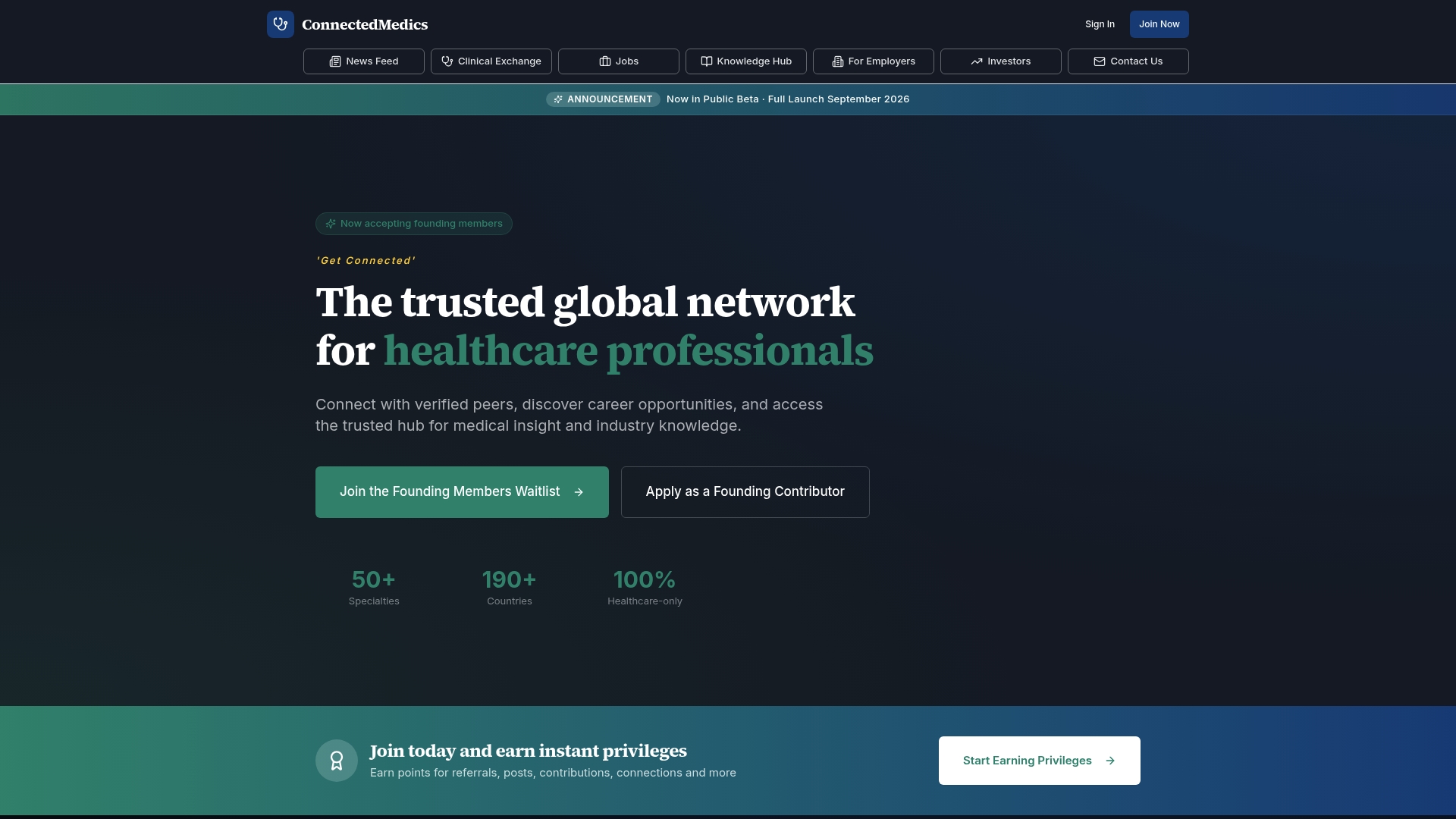
Generic job boards route clinical applications through the same ATS stack as every other profession. Connectedmedics is built differently. The platform provides verified profiles with dedicated credential fields, specialty-specific filters, and a jobs board with over 4,600 active healthcare vacancies — so hospital recruiters can confirm licensure and match candidates to open roles without manual back-and-forth.
Clinicians who complete a verified profile get visibility to recruiters searching by specialty, certification, and EHR experience. AI-powered career matching surfaces role-specific keywords so profiles align with active postings. Credential badges reduce the verification steps between application and offer.
Create a verified Connectedmedics profile, upload your ATS-ready CV, and connect directly with hospital recruiters hiring in your specialty today at connectedmedics.com.
Useful sources for CV preparation and credential verification
- AAFP — Writing a Medical CV — guidance on professional summaries and physician CV structure.
- AMA — Creating a Standout Medical Resident CV — AMA guidance on accomplishment selection and document order.
- Yale School of Nursing — Resume Writing Guide — RN-specific resume structure and clinical rotation formatting.
- NURSYS License Verification — real-time RN and LPN license lookup used by hospital recruiters.
- Connectedmedics — Healthcare Recruitment Platform Guide — how recruitment platforms route and rank clinical applications.