
Assume medical networking platforms are not private. Never post patient identifiers. Turn on multifactor authentication, tighten profile visibility, and de-identify any clinical case using HHS Safe Harbor guidance or an expert determination before you share it. These four steps cover most of the exposure clinicians and recruiters face on networking sites today.
TL;DR:
- Most exposure on medical networking profiles can be mitigated in a quick session by enabling multi-factor authentication, updating weak passwords, and reviewing visibility settings from a logged-out view.
- Profile details such as exact birthdates, precise clinic addresses, or clinical photos should be generalized or avoided entirely to prevent re-identification risks when combined with other information.
- When sharing clinical cases, de-identify data using Safe Harbor or expert determination methods, paying special attention to rare diagnoses, unique timelines, or location details that might still reveal identities.
- Platforms should be scrutinized for transparent data policies, role-based access, encryption, and avoidance of undisclosed third-party tracking to prevent privacy breaches and enforcement actions.
- Clinicians must treat every online post as potentially searchable or recognizable, ensuring patient confidentiality is maintained even when privacy controls are in place.
Table of Contents
- Quick practitioner checklist for the next 30 minutes
- Manage profile data and visibility settings correctly
- Turning a real case into a shareable teaching vignette
- Vetting a platform's privacy practices before you trust it
- Employer and recruiter controls for candidate data
- What to do when a post or profile is exposed
- What the AMA expects from clinicians online
- Role-specific privacy strategies across the care team
- Handling third-party apps and plugins safely
- Cross-platform sharing and synchronization risks
- Patient consent before discussing a case online
- Why privacy-first habits protect more than compliance
- ConnectedMedics: privacy-forward tools for clinicians and recruiters
- Sources
- FAQ
Quick practitioner checklist for the next 30 minutes
Privacy fixes do not require a security team. Most of the exposure on a medical networking profile can be closed in one sitting.
- Enable multi-factor authentication and review active device and session lists.
- Replace any reused or weak password with a unique one.
- Open your profile in a private or logged-out browser to see what strangers actually see.
- Remove or restrict fields that reveal more than your specialty and general location.
- Disconnect third-party apps and browser extensions with access to your account.
- Check cookie and consent popups for tracking pixels before accepting them.
If you are about to post a clinical case, stop before the checklist above. Run the de-identification steps in the next section first. A locked-down profile does not protect a case description that still contains a patient's story.
Manage profile data and visibility settings correctly
Profile fields feel harmless until they combine with something else. A photo taken during a procedure, an exact birthdate, or a specialty listed alongside a rare research interest can narrow a person down fast, especially in a small department or town.
- Swap precise details for general ones: list a specialty rather than a sub-specialty tied to a single rare condition, a city rather than a clinic address, and a graduation year rather than a full birthdate.
- Avoid uploading images that were taken in a clinical setting, even cropped ones, since metadata and backgrounds can leak more than intended.
- Set visibility presets deliberately: public for your name, credentials, and specialty; connections-only for activity and posts; private for contact details and employer history.
- Test your own settings by viewing your profile from a logged-out browser or a colleague's account to confirm what strangers, recruiters, and search engines can actually see.
- Turn on multi-factor authentication, use a hardware key where the platform supports one, and check audit or login-history logs periodically for unfamiliar access.
The AMA Code of Medical Ethics treats online confidentiality the same as in-person confidentiality: the setting changes, the obligation does not.
Turning a real case into a shareable teaching vignette
Two standards govern how a case becomes safe to discuss publicly. HHS de-identification guidance recognizes Safe Harbor, which means removing 18 specified identifiers, and expert determination, where a qualified statistician assesses re-identification risk directly. Safe Harbor is faster; expert determination handles edge cases Safe Harbor misses, like a rare diagnosis in a small population.
- Strip direct identifiers first: name, exact dates, contact information, medical record numbers, device serial numbers, and any image containing identifiable features.
- Generalize dates and locations: convert an exact admission date to a season or a quarter, and a town to a region.
- Mask or aggregate rare attributes: if the diagnosis is uncommon, describe the finding categorically rather than by exact subtype, and round unusual lab values or ages into ranges.
- Remove unique timelines: a sequence of events tied tightly together (a specific surgery date plus a specific complication plus a specific readmission) can be as identifying as a name.
A before-and-after example: "62-year-old female, referred from Riverside Clinic on March 3, presented with a rare pancreatic tumor subtype" becomes "a patient in their sixties presented with an uncommon pancreatic tumor." The second version teaches the same clinical lesson without a traceable trail.
Watch for combinations that survive de-identification anyway: a rare disease paired with a small town, an unusual age and occupation together, or a distinctive treatment timeline. When any of those remain, escalate to a supervised case-review forum instead of a public post.
Pro Tip: If you would recognize the patient from your own description, a stranger with local knowledge probably would too.
Vetting a platform's privacy practices before you trust it
Recruiters, employers, and clinicians evaluating a networking site should treat privacy policy language as a screening test, not boilerplate.
- Check whether the privacy policy states specific data uses instead of vague "we may share information with partners" language.
- Confirm whether the platform offers a business associate agreement for any integration touching covered-entity systems.
- Look for granular, role-based permissions, exportable audit logs, and encryption at rest and in transit.
- Confirm multi-factor authentication and session or device management are available, not just password login.
- Watch for embedded tracking pixels or unnecessary third-party SDKs that were not disclosed up front.
FTC enforcement guidance shows what happens when platforms fail this test: undisclosed tracking, retroactive privacy policy changes, and health data shared for advertising have led to enforcement actions, including cases against BetterHelp and GoodRx. A platform that changes its privacy terms quietly after launch, or that cannot explain where user data goes, is a platform to avoid.
Employer and recruiter controls for candidate data
Recruitment workflows on a networking platform create their own exposure if job posts or applicant portals are not configured carefully.
- Keep job-post fields limited to role, qualifications, and location, never health information about the position or the candidate pool.
- Route applications through private portals rather than open comment threads or public messages.
- Require a business associate agreement whenever recruitment tools connect to systems holding covered-entity data.
- Restrict export rights on candidate data to specific roles, and require approval before bulk downloads.
- Set retention and deletion schedules for applicant records, and run periodic access audits to confirm only current staff retain permissions.
These controls follow the same logic NIST's Privacy Framework recommends for any organization: know what data you collect, who can reach it, and how long it stays.
What to do when a post or profile is exposed
Speed matters once something identifying is already public.
- Remove the post immediately and capture screenshots with timestamps before it disappears, since you may need them later.
- Notify the platform's support channel and request removal confirmation along with any recipient-side deletion where the content was shared further.
- Alert your employer's compliance or privacy officer if the post involved patient information, since institutional policy may require internal reporting.
- Consult legal counsel if protected health information was implicated, since the timeline for notification can be short.
Platforms typically respond with content takedown, logs for internal investigation, and, where relevant, deletion requests sent to anyone who received the content. Depending on scope, the incident may trigger obligations under the FTC Health Breach Notification Rule or require notice to HHS/OCR if a HIPAA-covered entity was involved.
What the AMA expects from clinicians online
The AMA Code of Medical Ethics states plainly that clinicians must respect patient privacy and confidentiality in online environments, and must not publish patient information without appropriate consent. That obligation does not pause because the setting is a networking platform rather than a chart or a hallway conversation.
AMA guidance on social media adds a practical warning: privacy settings are not absolute, content can be permanent and searchable, and clinicians should curate their professional presence with that permanence in mind. A post set to "connections only" today can still be screenshotted, forwarded, or exposed by a future settings change outside your control.
This is also where online disinhibition becomes a real risk. Clinicians describing a striking case can slip into detail that feels routine in a hallway conversation but reads as identifying once it is written down and searchable. The professional standard does not change because the audience feels smaller or more familiar; a colleague's feed is still a public record.
Treat every clinical post as something a patient, a hospital compliance officer, or a licensing board could eventually read. If the story would embarrass you explained that way, it needs more de-identification, or it needs to stay off the platform entirely.

Role-specific privacy strategies across the care team
Privacy risk on a networking platform is not identical for every role.
Physicians tend to post clinical vignettes and case discussions, so their main exposure is patient re-identification through diagnosis, timeline, or demographic detail, exactly the pattern the de-identification checklist above addresses.
Nurses often share process and workflow content: shift practices, care techniques, unit-level improvements. The privacy risk there is less about individual patients and more about identifying a specific unit, facility, or colleague through operational detail that was not meant to travel outside the workplace.
Researchers face a different exposure: sharing preliminary findings, datasets, or study populations before publication. Privacy here overlaps with data governance, since a small study cohort described in detail can be as identifying as a single patient case.
Administrators and recruiters handle candidate and employee data rather than patient data, so their controls lean toward access permissions, export restrictions, and retention policies rather than clinical de-identification. Each role benefits from the same underlying principle from NIST's Privacy Framework: know what you are sharing, who can see it, and how long it persists, then apply the specific checklist that matches your role.

Handling third-party apps and plugins safely
Networking platforms increasingly connect to calendar tools, messaging apps, CME trackers, and browser extensions. Each connection is a new door into your account.
Review the permissions any third-party app requests before granting access. A scheduling tool that asks for full profile and messaging access is asking for more than it needs. Disconnect apps you no longer use, since dormant integrations are a common source of quiet data leakage. When a platform allows granular permission scopes, use the narrowest one that still lets the tool function.
For employers integrating recruitment tools or applicant tracking plugins, confirm whether the integration touches any covered-entity system, and require a business associate agreement if it does. An unreviewed plugin with broad account access is one of the easier ways for a platform's own privacy controls to be undermined from the outside.
Cross-platform sharing and synchronization risks
Many clinicians and recruiters use more than one professional network, and syncing contacts, posts, or profile data between them multiplies exposure rather than dividing it.
A case description edited down for one platform can still surface unedited on another if auto-sync or cross-posting features are enabled. Before connecting accounts across platforms, check whether syncing pulls full profile fields or only the ones you have chosen to share. Turn off automatic cross-posting for anything that touches clinical content, and re-run the visibility check from earlier on each platform separately, since default settings rarely match.
For recruiters, syncing candidate data between an applicant tracking system and a networking platform's employer tools should follow the same retention and access rules on both sides, not just the stricter one. A gap in either system's controls becomes the practical privacy level for the whole workflow.
Patient consent before discussing a case online
De-identification reduces risk, but it does not always remove the need for consent. Some institutions and specialties expect explicit patient consent before any case detail, however generalized, is shared publicly, particularly when a case is rare enough that de-identification alone may not fully protect against recognition.
Check your institution's policy before assuming de-identification is sufficient on its own. When a case is unusual enough that even a generalized description might be recognizable to the patient, a colleague, or the patient's family, consent is the safer path, and in some settings the required one. Where consent is not practical to obtain, the safer choice is to limit the discussion to a closed, supervised professional forum rather than a public networking feed.
Why privacy-first habits protect more than compliance
Clinicians who default to conservative sharing protect patients, but they also protect their own professional standing. A single de-identification mistake follows a career longer than the post itself stays online. Expecting privacy-by-design from any platform you join, verified members, role-based controls, clear data policies, is a reasonable baseline, not an extra ask. A specialty network that verifies its members and limits recruitment tools to employer accounts naturally produces less noise, and less noise means fewer accidental exposures than a generalist feed built for broad, unfiltered sharing.
— David
ConnectedMedics: privacy-forward tools for clinicians and recruiters
Evaluating a medical networking platform against the checklist above is easier when the platform is built specifically for clinicians rather than adapted from a generalist model. ConnectedMedics verifies clinician profiles, organizes members into specialty-led communities, and gives employers dedicated recruitment tools rather than open public postings.
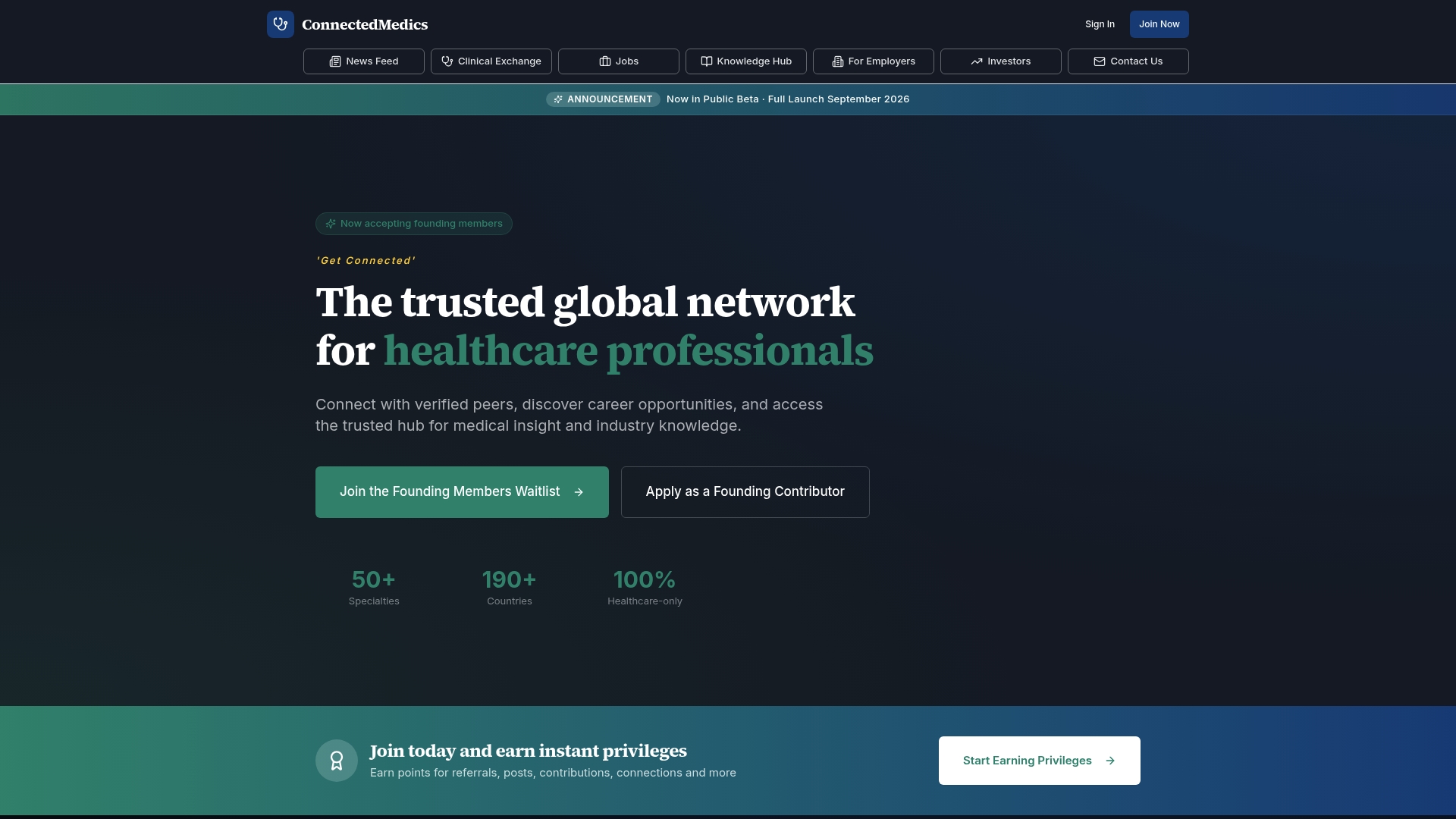
That structure matters for the fields discussed above: verification reduces the anonymous noise generalist networks carry, specialty communities keep clinical discussion closer to peers who understand context, and the knowledge hub curates research summaries instead of unmoderated case posts.
- Verified clinician profiles reduce the anonymous accounts that drive impersonation and scraping risk.
- Specialty communities keep clinical conversation among relevant peers rather than an open public feed.
- Employer account controls separate recruitment data from general networking activity.
| Feature | What it addresses |
|---|---|
| Verified profiles | Reduces anonymous or fake accounts on the network |
| Specialty communities | Keeps clinical discussion within relevant peer groups |
| Employer account controls | Separates recruitment data from general profile activity |
| Knowledge hub | Curated research summaries instead of open case posts |
Recruiters and employers can review plan options on the employer plans page or check the Premium Employer features for additional recruitment controls. Clinicians can reach verified healthcare professionals or start with a free profile to test the visibility settings covered earlier in this guide.
Sources
- AMA Code of Medical Ethics — Patient privacy and confidentiality
- HHS — De-identification under HIPAA
- NIST Privacy Framework 1.1 — Overview and privacy risk-management practices
FAQ
Is it ever safe to post a real patient case on a networking site?
Only after de-identification under HHS Safe Harbor or expert determination standards, and only when the case is common enough that generalized details cannot single out the patient. When a case is rare, escalate to a supervised professional forum instead of a public post.
Does HIPAA apply to what I post on a medical networking platform?
HIPAA applies to covered entities and business associates, and many networking platforms fall outside that scope, but the AMA Code of Medical Ethics still requires patient confidentiality regardless of platform. Separately, the FTC's Health Breach Notification Rule can apply to health apps that fall outside HIPAA.
What profile details should clinicians avoid making public?
Avoid exact birthdates, precise clinic addresses, and any photo taken in a clinical setting, since these narrow down identity when combined with a specialty listing. Use general specialty terms and city-level location instead, and confirm the result with a logged-out view of your profile.
How can recruiters tell if a platform handles candidate data responsibly?
Check for a business associate agreement option, role-based export permissions, and a privacy policy that states specific data uses rather than vague sharing language, patterns the FTC has flagged as enforcement risks when absent. Platforms like ConnectedMedics that separate employer recruitment tools from general profile data make this easier to audit.
What should I do first if I accidentally post identifying patient information?
Remove the post immediately, capture screenshots with timestamps, and notify the platform's support team to request deletion confirmation. If the information involved protected health information, notify your employer's compliance officer and consult legal counsel about further reporting obligations.